Tools Portfolio/ 062025

ReplayRoom

Trade replay software

Role
Design and development

I wanted a way to replay my own executions and study my entries and exits. It also lets me share my best trades and showcase executions in a way simple screenshots never could.
HomepageFig. 01
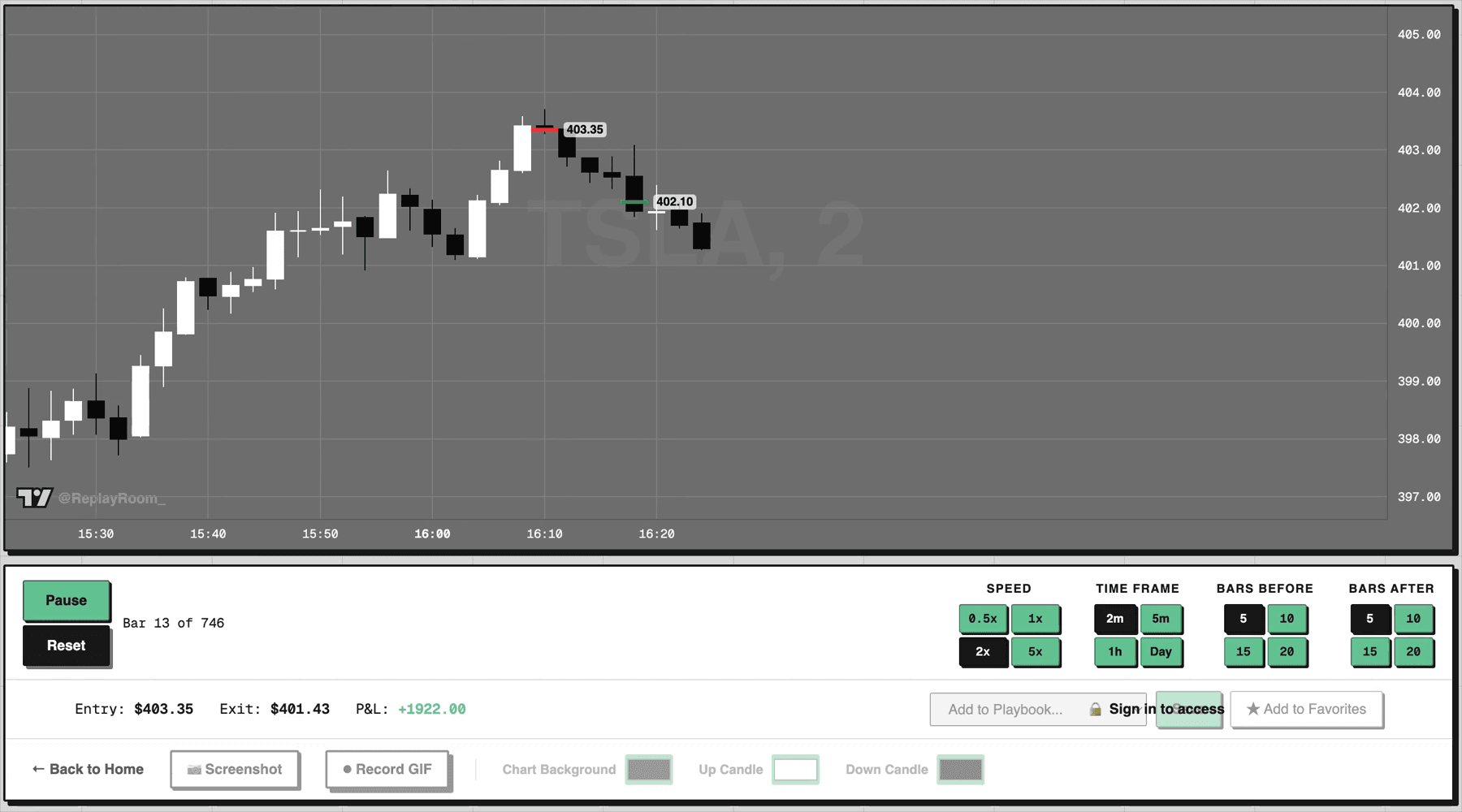
ReplayRoom replaying a TSLA trade bar by bar
The replay running: a TSLA trade played back bar by bar.

01

What it does

A web-based trade replay tool for day traders, live at replay.trading. Built solo from scratch as my first software project.

  • Bar-by-bar replay

    Replays your executions bar by bar, with each fill marked on the chart at the exact bar it happened.

  • Manual or imported

    Takes trades by manual entry or by import from Interactive Brokers.

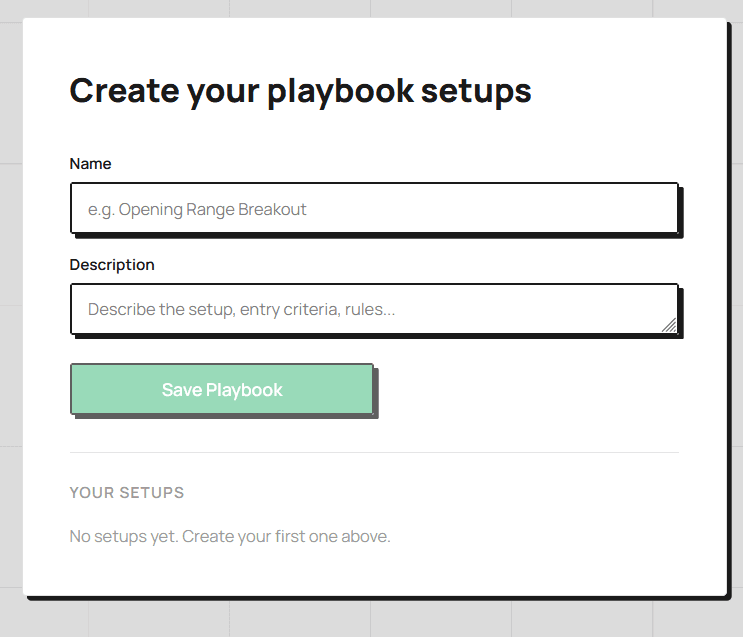
  • Playbooks

    Stores and tags replays into custom playbooks.

  • GIF export

    Exports a replay as an animated GIF for sharing.

  • How it's built

    ReplayRoom is a React and TypeScript front end built with Vite, charting on TradingView's Lightweight Charts, over a Supabase backend of PostgreSQL, Auth and Edge Functions. Price data comes from Polygon.io and billing from Stripe, whose webhooks run on those same Edge Functions. It was my first software project, built solo from scratch, and it deploys to Vercel from GitHub with a separate staging environment in front of it.

02

Screens
ReplayFig. 02
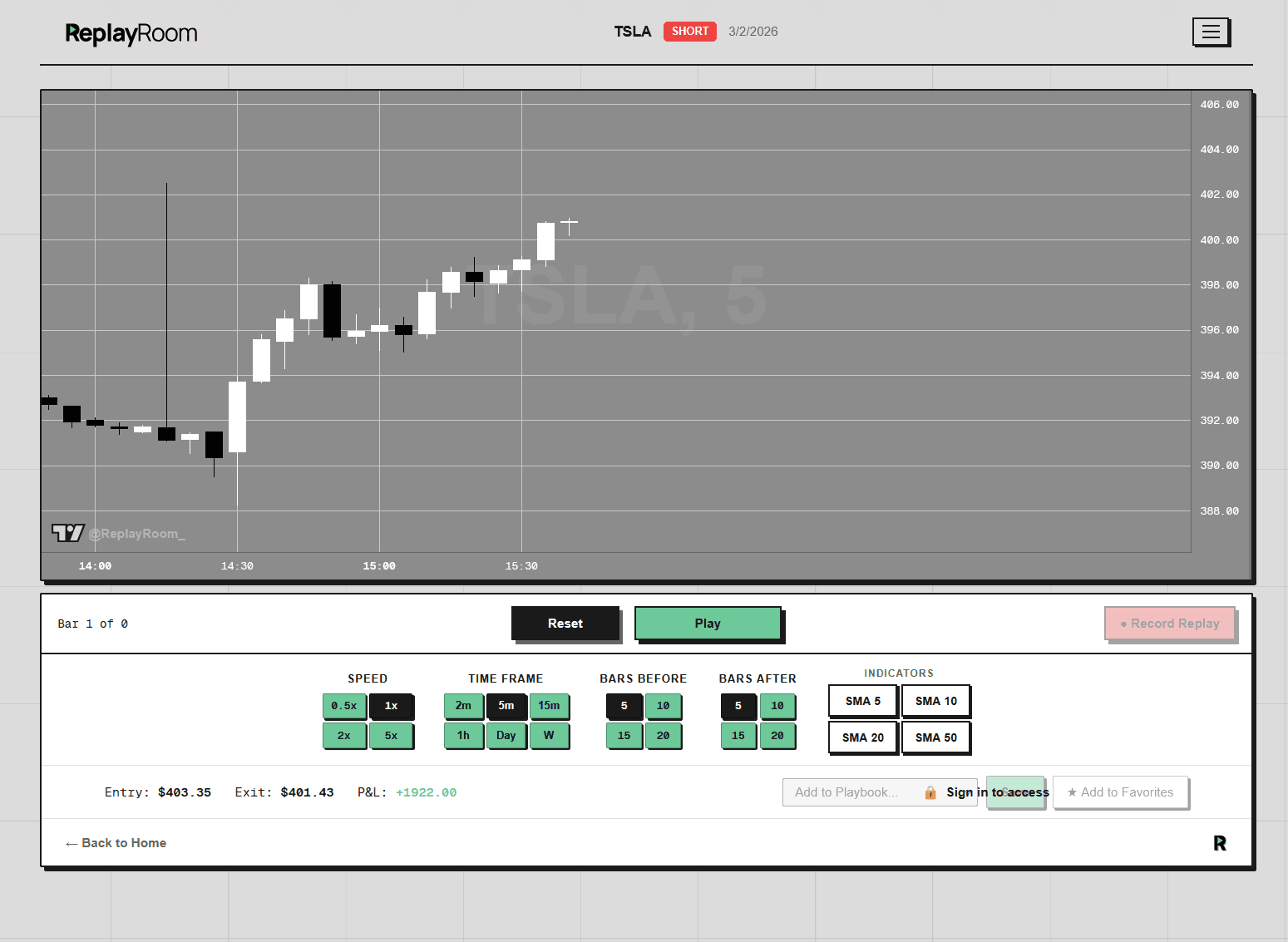
ReplayRoom replay view with the candlestick chart, the marked fills and the playback controls
The replay: every fill marked on the chart at the bar it happened, with the playback controls below.
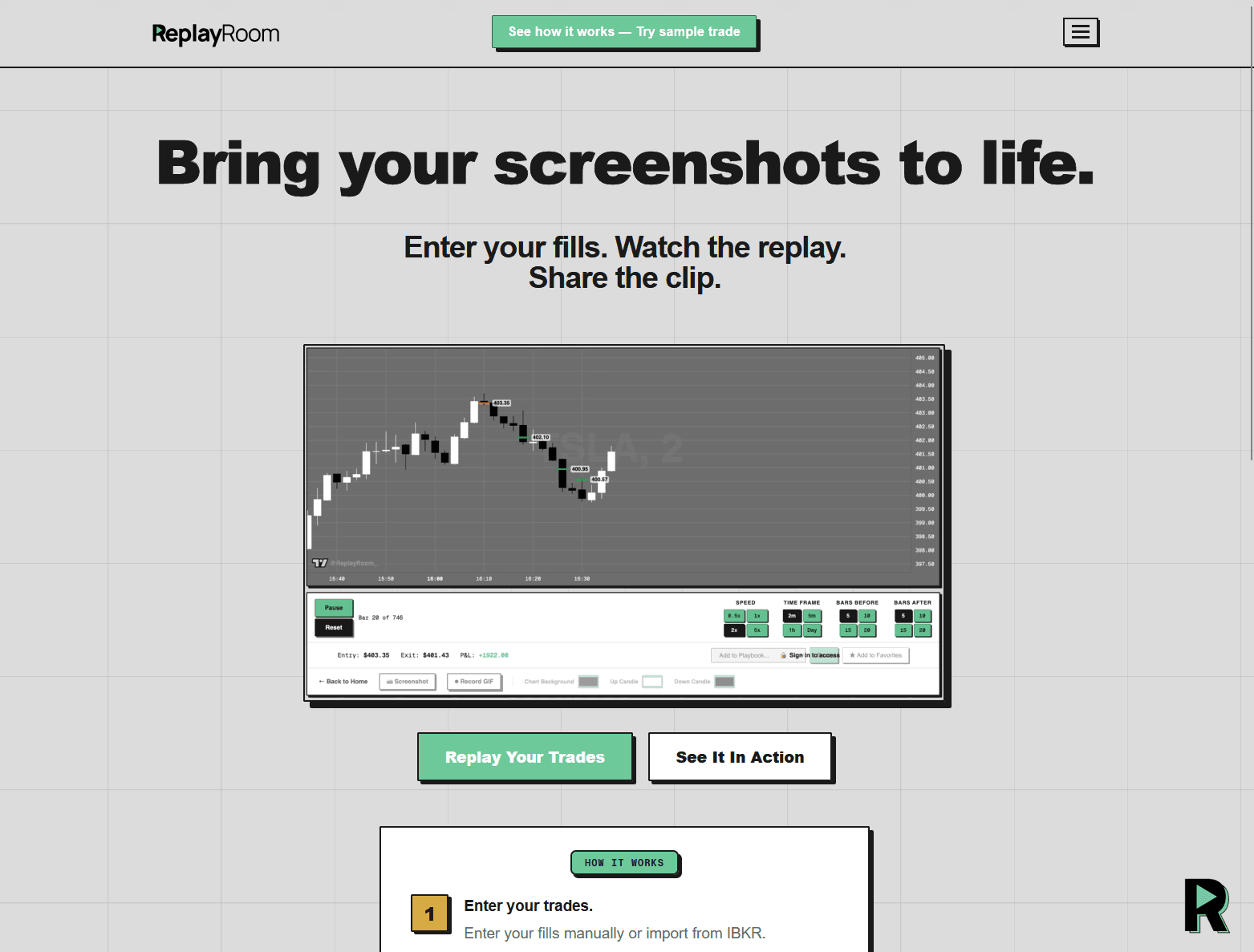
Home pageFig. 03
ReplayRoom home page
The home page at replay.trading.
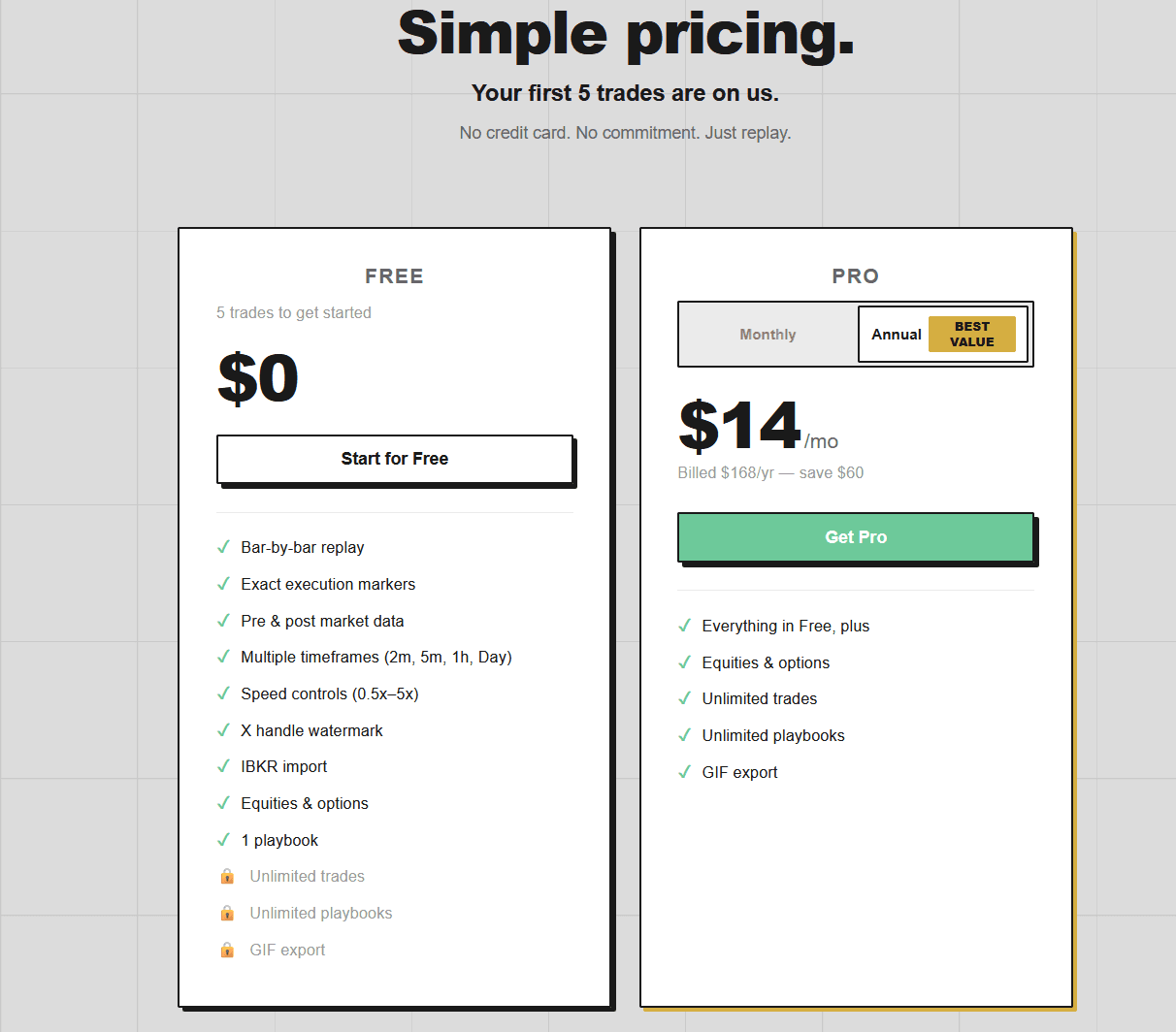
PricingFig. 04
ReplayRoom pricing page
The pricing page.
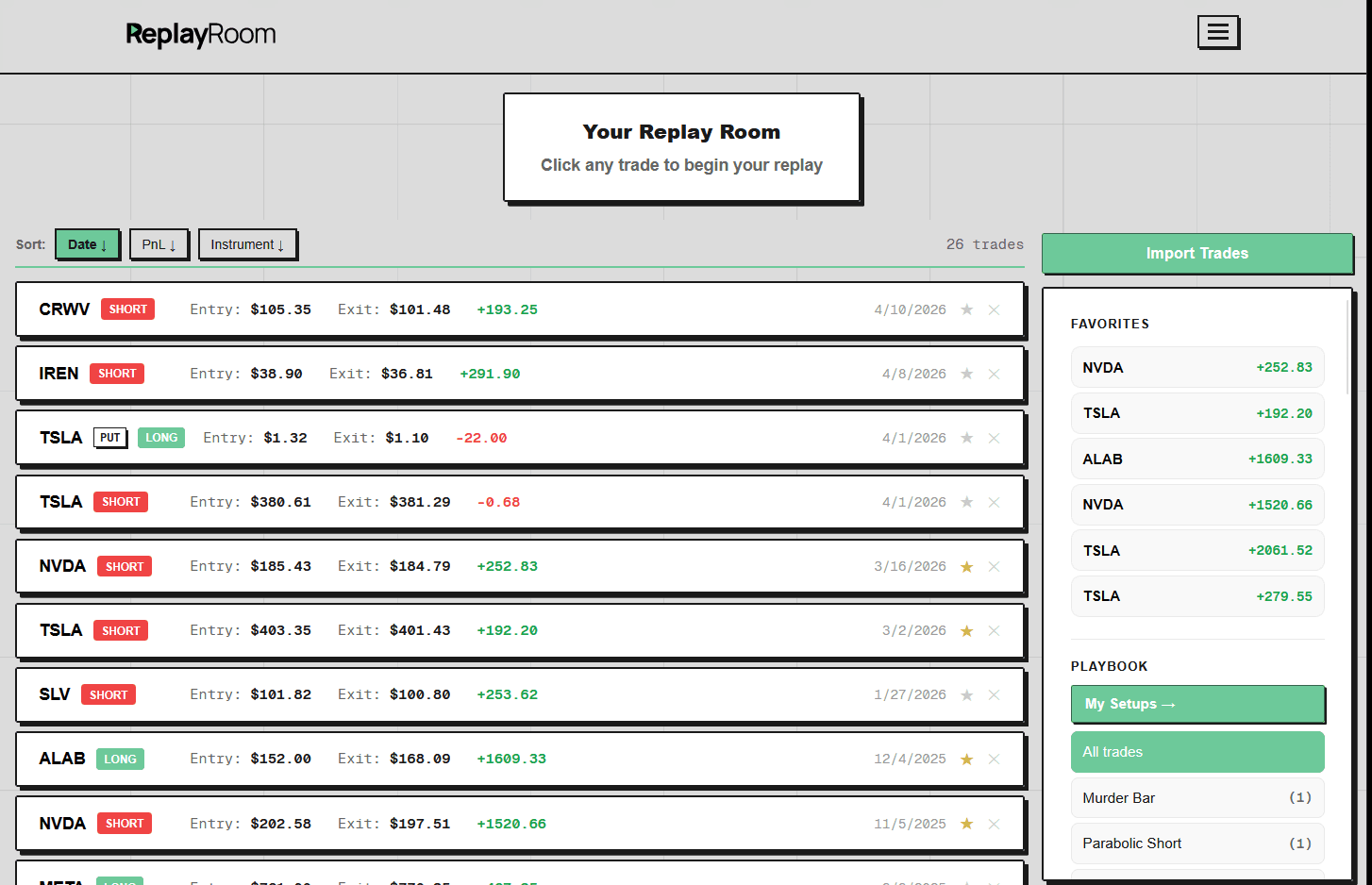
LobbyFig. 05
ReplayRoom lobby listing every imported trade, with the favorites and playbook sidebar beside it
The lobby: every imported trade, sortable, with favorites and playbook setups on the side.
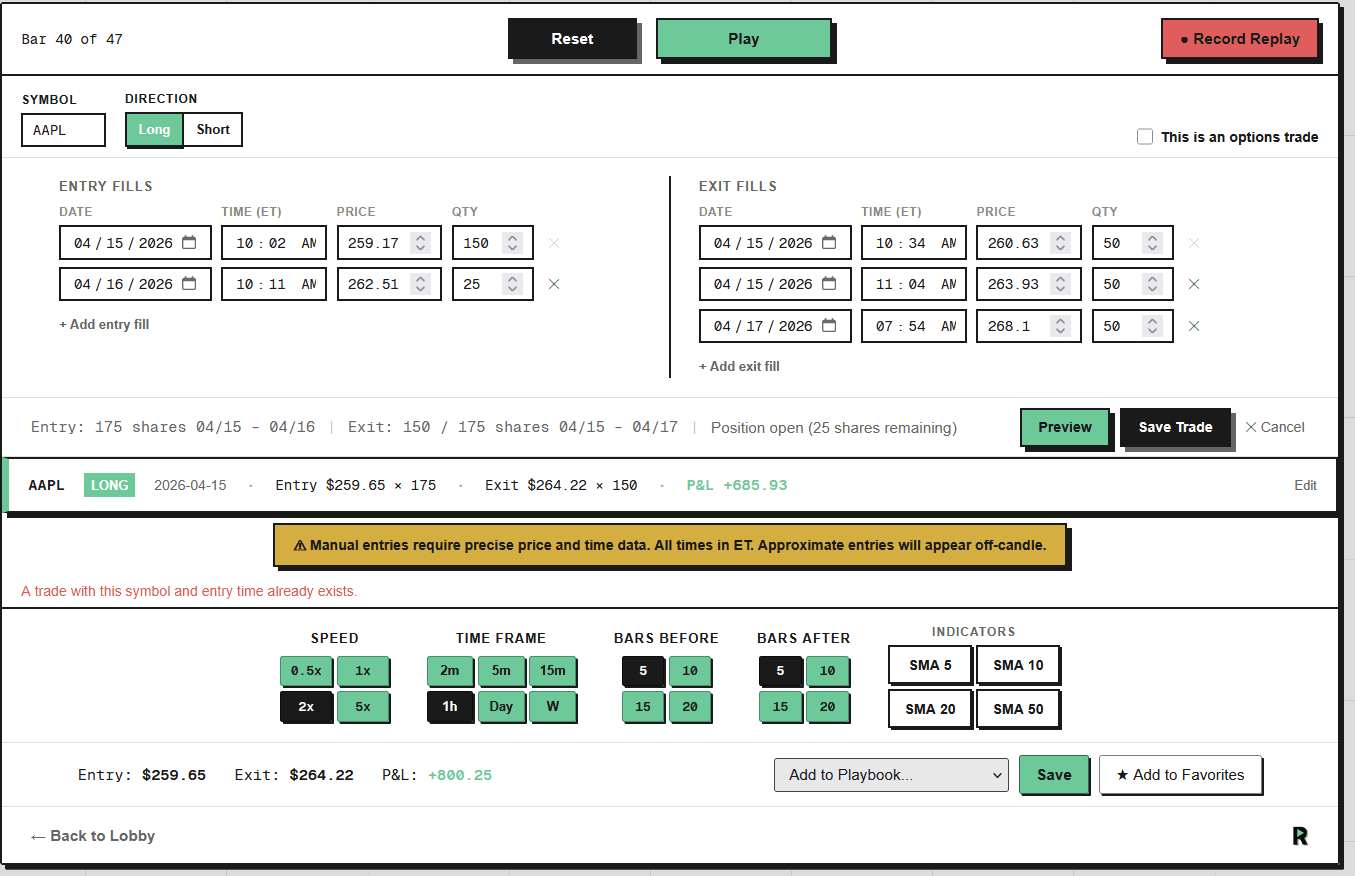
Replay setupFig. 06
ReplayRoom replay setup with the entry and exit fills, the playback speed, the timeframe and the indicator controls
Setting up a replay: scaled entries and exits, playback speed, timeframe and indicators.
Playbook setupsFig. 07
ReplayRoom playbook dialog, naming a setup and describing its entry criteria and rules
Playbook setups: name a pattern once, then tag replays to it.
Visit replay.trading